
| Feature | Details for Sierra Leone |
|---|---|
| Android | Straight APK download from the operator’s own site — PariPesa isn’t listed on Google Play in Sierra Leone |
| iOS / iPhone | A Safari home-screen shortcut (PWA) stands in for a native app on iPhone and iPad |
| APK file size | Roughly 48 MB |
| Minimum Android | Android 6.0 (Marshmallow) or newer |
| Minimum iOS | iOS 12.0 or newer |
| What’s inside the app | Sportsbook, live betting, cash-out, casino, crash games, cashier |
| Payments | SLE via Orange Money and Africell Money, plus cards and crypto — see deposit and withdrawal methods |
| Welcome offers | Sports and casino packages — current terms on the promotions page |
| Age requirement | 18+ only |
Get the PariPesa Sierra Leone app APK for sports betting and casino
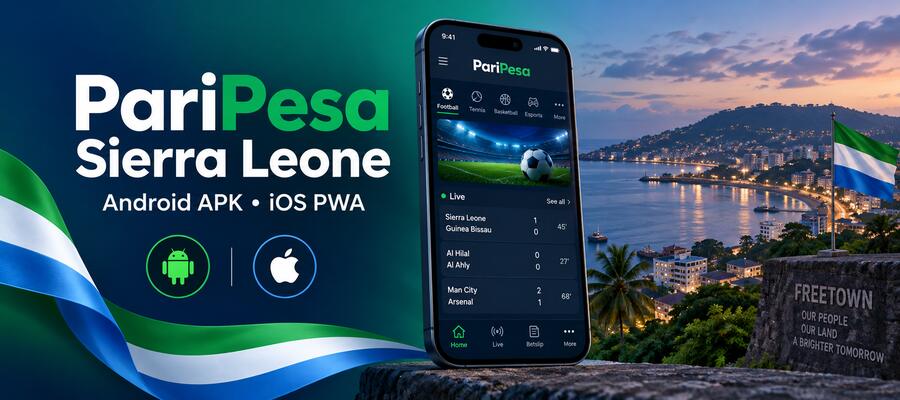
PariPesa’s app brings the sportsbook, live odds, casino games and cashier together in one place. Because Google keeps real-money betting apps out of its Sierra Leone storefront, the Android build comes as a direct APK from the operator rather than a Play Store listing. iPhone and iPad owners get around the same App Store restriction with a Safari shortcut instead.
Nothing about the mobile version is trimmed down from the desktop site — the leagues, markets and cash-out rules all carry over. What actually changes on a phone is convenience: your bet slip stays open while you browse other markets, live prices refresh in place, and the cashier links straight into Orange Money or Africell Money.
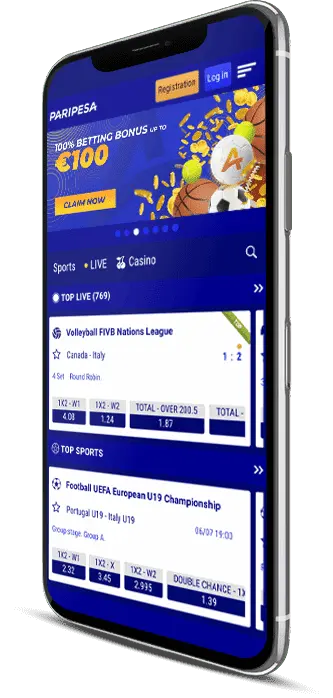
Inside the PariPesa app: login, live betting, casino


Installing the PariPesa APK on Android
Getting the PariPesa APK onto an Android phone takes about two minutes. Since the app doesn’t sit on Sierra Leone’s Google Play, you pull the file from the official site and let your browser handle a one-time install. Grab the newest build every time — an older file can stop talking to the current cashier.
- Open the official PariPesa download page in Chrome and tap the Android button.
- Wait for the APK to finish downloading in full. A cut-off download is the number one reason installs fail.
- If Android stops the install, go to Settings → Apps → Special app access → Install unknown apps and switch it on for Chrome. Older phones keep this under Settings → Security → Unknown sources.
- Open the file from Downloads or from the notification and tap Install.
- Launch PariPesa and sign in or create an account.
- Head back and switch Install unknown apps off again — it was only needed for that one install.
What the PariPesa APK actually asks permission for
A betting app doesn’t need much access to your phone to work. Here’s what the genuine build requests — and what it should never ask for.
| Permission | What it’s for | Required? |
|---|---|---|
| Internet / network state | Pulling odds, live data and the cashier | Yes |
| Storage (media) | Saving screenshots of your bet slip, uploading verification documents | Optional |
| Camera | Photographing an ID for verification, scanning QR codes | Optional |
| Notifications | Goal alerts, settled bets, promotions | Optional |
| Biometrics | Fingerprint or Face ID sign-in instead of typing a password | Optional |
| Contacts, SMS, call log | There’s no legitimate reason for this. If a build asks, it isn’t the real one — remove it. | Never |
Keeping the PariPesa app up to date
The Android build sits outside Google Play, so it won’t update on its own. The app flags it when a newer release exists, but “updating” simply means downloading the latest PariPesa APK again and installing it over the copy you already have. Your account, betting history and saved settings stay exactly as they were — skip uninstalling first, since that’s what wipes your saved login, not the update itself.
Make a habit of checking the official download page once a month. Staying current matters more here than it would with a Play Store app, since security fixes and cashier changes only reach you once you install them yourself.
Running an older PariPesa APK
There’s really one valid reason to reach for an older PariPesa APK: an older handset. If your phone runs Android 6 or 7 and the current build refuses to install, ask support which version still supports your Android release and grab it from the official archive. Deliberately staying on an old build just to dodge a redesign isn’t worth the trade-off — you lose security patches and cashier fixes, and mirror sites hosting old files (Uptodown-style archives included) don’t re-check them once they’re uploaded. Tampered betting apps love disguising themselves as an “old version” from exactly this kind of mirror.
PariPesa APK won’t install? Try these fixes first
Nearly every install failure comes down to one of four things: a broken download, a blocked permission, too old an Android version, or too little free storage. Work through this table from the top.
| Problem | Fix |
|---|---|
| APK file won’t open | The download stopped short. Delete the partial file, switch to Wi-Fi or a steady 4G connection, and download it again. |
| “There was a problem parsing the package” | Either your Android version is under 6.0, or the file got corrupted on the way down. Check Settings → About phone → Android version and re-download. On Android 5 or older, use the mobile site instead. |
| “Install blocked” / unknown apps | Allow installs from your browser via Settings → Apps → Special app access → Install unknown apps, install the app, then flip the setting back off. |
| “App not installed” over an existing copy | You’re trying to install a build signed with a different key — usually a mirror copy. Remove the old install first, then put the official APK on. |
| Not enough storage | Clear at least 150 MB, delete leftover APK files from Downloads, and restart the phone. |
| App crashes on open | Wipe the cache under Settings → Apps → PariPesa → Storage, turn off any VPN, then reinstall the current official APK. |
| Play Protect warning | Standard for any app installed outside Google Play. Proceed only if the file came from the official source and the size matches. |
Getting PariPesa on iPhone and iOS
Sierra Leone’s App Store doesn’t carry a native PariPesa iOS app, so iPhone users take a different path from Android. Apple only allows real-money betting apps in storefronts where the operator holds a local licence, which is why an App Store search here comes up empty. Instead, iPhone and iPad owners install a PWA (Progressive Web App) — it opens full screen with its own home-screen icon and handles betting, the cashier and live odds much like a native app would.
- Open Safari. Chrome, Firefox and other iOS browsers won’t work for this step.
- Go to the official PariPesa Sierra Leone page.
- Tap the Share icon at the bottom of the screen (the square with an arrow pointing up).
- Scroll down the share sheet and pick Add to Home Screen.
- Leave the shortcut name as is or edit it, then tap Add.
- The PariPesa icon lands on your home screen alongside your other apps.
The PWA barely touches your storage, updates itself the moment the site changes, and supports Face ID sign-in after you set it up once. The one thing you give up is reliable push notifications, which iOS handles less consistently for web apps. Placing and settling bets feels no different either way.
What the PariPesa app lets you do
The app carries the identical betting line-up you’d find on desktop: football from the Sierra Leone National Premier League and the Leone Stars up through the Premier League, La Liga, Serie A and the Champions League, plus tennis, basketball, rugby, cricket, boxing, darts and eSports. A single top-tier match can spread across several hundred markets, and the live screen keeps odds movement, your open positions, live stats and cash-out (where offered) all on one page. The casino runs inside the same app with nothing extra to install — slots, live-dealer tables and crash games including Aviator and JetX.
A few things worth knowing about the mobile experience:
- PIN, fingerprint or Face ID lock built into the app itself
- One-tap staking with preset amounts, handy when live odds are on the move
- Choice of odds format, plus a setting for how the slip reacts to odds changes (accept all / better only / ask first)
- Push alerts for goals, settled bets and promotions
- A bet slip that stays put while you browse, plus a betting history you can still read through a brief connection drop
Outside of betting itself, PariPesa’s partner programme pays commission to anyone who refers new players. You’ll find the full terms and payout structure on the affiliate programme page.
Sports betting on PariPesa’s app
PariPesa’s app runs on exactly the same odds board as the desktop site — nothing gets cut down for mobile. Football sits at the top of the list, from the Sierra Leone National Premier League and the Leone Stars alongside the Premier League, La Liga, Serie A and the Champions League, with tennis, basketball, rugby, cricket, boxing, darts and eSports rounding things out. A big match can carry several hundred markets on its own.

Where the app pulls ahead of a browser is the live screen: odds movement, your open positions, live stats and cash-out all sit on the same page and update without a reload, which matters when a price shifts between your tap and the slip confirming. Worth setting on day one is how the slip handles odds changes mid-bet — accept everything silently, accept only improvements, or pause and ask.
| Bet type | How it works | Worth knowing |
|---|---|---|
| Single | One selection, one stake | The only bet type where cash-out shows up on almost every market |
| Accumulator | Multiple selections, odds multiplied together | One losing leg voids the whole slip — and most welcome offers demand a minimum number of legs at minimum odds |
| System | Combinations drawn from a selection group | Still pays out if some legs lose, at a higher total stake |
| Live / in-play | Placed while the match is running | Odds shift between your tap and confirmation — set your odds-change rule before you need it |
Casino and Aviator inside the PariPesa app
PariPesa’s casino sits inside the same app with nothing further to install: a long list of slot providers, live-dealer roulette and blackjack, and a run of crash games. Most slots let you try a free demo first, which is the smart way to gauge a game’s volatility before staking real money. Live tables and jackpot titles skip the demo mode entirely, so your first spin there is real money by default.
Aviator is the single most-searched game on the whole platform in Sierra Leone. The curve climbs, the multiplier climbs with it, and you cash out before it snaps. It lives in the casino section next to JetX, Aviatrix and the rest of the crash titles; our Aviator guide breaks down the mechanics in full, and the casino games page covers everything else on offer.
PariPesa bonuses and promo codes
You pick a PariPesa bonus during sign-up, and a promo code goes into either the registration form or your account settings depending on the campaign running. Both the sports and casino welcome packages, with current terms, live on the promotions page — treat that as the only source worth trusting, since offers change often and other sites keep republishing codes that have already expired.
Before accepting anything, check four numbers and skip past the headline percentage:
- Wagering multiplier — how many times the bonus amount has to be staked before the balance unlocks.
- Minimum odds — selections priced below this don’t count toward clearing it.
- Legs required — the minimum number of selections a qualifying accumulator needs.
- Expiry — how long you have to finish the wagering.
A 100% match with a forty-times wagering requirement is worth less in practice than a smaller offer at five times. And on no-deposit codes: they turn up now and then as limited-time campaigns, never as a standing offer. Any site or WhatsApp group pushing a “permanent” no-deposit PariPesa code is running affiliate bait or a phishing attempt — no genuine promotion ever asks you to type your account password into a third-party page.
App or mobile site — which one to use
The app earns its storage space if you’re betting on a weekly basis. For occasional use, or on a phone that’s already tight on space, the mobile site does the job just fine.
| Feature | Mobile app | Mobile website |
|---|---|---|
| What it is | PariPesa’s app, installed directly on the phone | The PariPesa mobile site, opened through a browser |
| Data use | Lower — the interface is already stored on your device, so only odds data moves | Higher — the interface reloads every session |
| Push notifications | Goals, settled bets, odds changes, promotions | Limited, and depends on the browser |
| Biometric login | Fingerprint / Face ID | Password every time on most devices |
| Storage | Around 48 MB plus cache | Browser cache only |
| Updates | Manual APK reinstall on Android; automatic for the iOS PWA | Automatic |
| Best suited to | Regular betting, live odds, longer casino sessions | Occasional use, shared phones, low-storage devices |
Some honest trade-offs: sideloading is a step you’d never take with a Play Store app, manual updates mean patches only land once you act, the iOS route is a web shortcut rather than a true native app, and live streaming quality drops noticeably below 4G.
Signing up for PariPesa through the app
Registration only takes a few minutes. Keep your phone number, an email address, a strong password and your real details on hand — the name on your account needs to match the name behind your Orange Money or Africell Money line, or withdrawals will get stuck at verification.
- Open the app and tap Registration or Sign Up on the home screen.
- Pick One-Click (phone number only) or Full Registration (phone or email plus your personal details).
- One-Click: choose Sierra Leone (+232), enter your phone number, select SLE, tap Register. An account ID and a temporary password land in an SMS.
- Full Registration: enter your phone or email, set a password, select SLE, tick the 18+ and Terms boxes, then tap Create Account.
- Enter the OTP sent by SMS to confirm your number.
- Sign in and open your profile.
Read through the bonus terms before you tick the box accepting a welcome offer. Take one by accident and it locks your balance until the wagering clears — and support isn’t always able to reverse it afterward. Current terms sit on the promotions page.
Logging in and managing account access
The PariPesa login takes three forms of ID: the phone number on file, your email address, or the numeric user ID you were given at sign-up. All three share one password, and the same login works everywhere — app, mobile site and desktop all point to the same single account, not three separate ones.
- Open the app (Android APK or the iOS PWA) and tap Login in the top-right corner.
- Enter your phone number with the country code (+232), your email, or your user ID.
- Type your password and tap Sign In.
- If two-factor authentication is switched on, enter the SMS code sent to your registered number.
- Turn on fingerprint or Face ID under security settings so future logins take one tap.
Common PariPesa login problems and how to fix them
| Symptom | Likely cause and fix |
|---|---|
| “Invalid username or password” | Usually a country-code mismatch. Try the number as 0XXXXXXXX and as +232XXXXXXXX, then fall back to the user ID from your registration SMS. |
| Forgotten password | Tap Forgot password and choose SMS or email recovery. The reset only goes to whatever contact detail is saved on the account, which is why finishing your profile matters. |
| No OTP arriving | Check your phone’s spam or blocked-message filter, confirm the number on file is still your active line, and give it 60 seconds before requesting another code. |
| Getting logged out repeatedly | Clear the app’s cache, update to the current APK, and switch off any VPN — sessions drop when your exit IP keeps hopping between countries. |
| Account blocked | Reach out through the operator’s blocked-accounts channel with your user ID ready. Don’t open a second account — duplicate accounts are standard grounds for having a balance confiscated. |
| Changed your phone number | Update it in your profile before the old SIM is switched off, otherwise recovery needs manual identity verification. |
Mobile money deposits and withdrawals in the app
Mobile money is what makes the app worth using day to day in Sierra Leone. Inside the app, go to Cashier → Deposit, pick Orange Money or Africell Money, enter the amount in SLE, and confirm through your mobile-money PIN. Withdrawals follow the same route under Cashier → Withdraw. Minimums vary by method, so check the current figures rather than assuming.
A delayed withdrawal usually comes down to one of four things: verification you haven’t finished, bonus wagering still locking your balance, a name mismatch between your betting account and your mobile-money line, or network congestion at busy times. Full limits, fees and other payment options are on the deposit and withdrawal methods page.
Licence, security and responsible gambling
Before you deposit anywhere, it’s worth knowing exactly who runs the platform and under what licence. Here’s what PariPesa publishes about itself:
Operator and licensing
- Operator
- Optim Development B.V., registration number 154511
- Registered office
- Abraham Mendez Chumaceiro Boulevard 03, Curaçao
- Licence
- Curaçao Gaming Control Board (GCB), licence number OGL/2024/225/0601
- Payment agent
- Vezzali Limited, registration number HE 410688, Spyrou Kyprianou 84, 4004 Limassol, Cyprus
- This website
- An independent information site covering the PariPesa app. We’re not the operator, and we can’t access, credit or restore anyone’s account.
Sierra Leone has no dedicated regulator or licensing process for online betting — the Ministry of Finance oversees land-based gambling and the one licensed local sportsbook, but offshore operators like PariPesa simply aren’t part of that framework one way or the other. That cuts both ways: nothing here blocks a Curaçao-licensed site from serving Sierra Leonean players, but it also means no local authority is checking PariPesa’s books, handling player complaints, or standing behind a payout dispute. Any complaint about the platform itself goes to the Curaçao GCB, not to any Sierra Leonean body. Confirm any licence number directly with the regulator rather than taking a review site’s word for it — this one included.
Keeping your account secure
- Pick a password you don’t reuse anywhere else, switch on two-factor authentication, and enable the app’s PIN or biometric lock — especially if you share the phone.
- Skip logging in over public Wi-Fi at an internet café or on a borrowed handset.
- Nobody genuine ever asks for your OTP or mobile-money PIN — not support, not a “verification agent”, not a Telegram admin.
- Don’t run a VPN to reach the service from a restricted location. It breaches the terms and gives grounds to void a withdrawal.
Responsible gambling and where to find support
Set your limits before you need them. Account settings let you cap deposits by day, week or month, turn on session reminders, take a cooling-off break, or self-exclude for a set period. Tightening a limit takes effect right away; loosening one only kicks in after a delay — that’s the whole point of the delay.
Betting should stay entertainment you can walk away from without it hurting. If you’re chasing losses, borrowing money to keep betting, or keeping it hidden from the people close to you, stop and reach out for support:
- Gambling Therapy — free, confidential online support and moderated forums, available worldwide including Sierra Leone: gamblingtherapy.org
- Gamblers Anonymous — peer support meetings and an online directory: gamblersanonymous.org
- Sierra Leone’s national mental health helpline — a free, toll-free line run by Partners In Health together with the Ministry of Health and Sanitation (MOHS), staffed 24/7 by psychosocial counsellors for anxiety, stress and related concerns, with referrals on to further care. Ask at your nearest government health facility for the current number, or contact the MOHS directly on +232 76 460 440.
- Self-exclusion — available in your account settings. Sierra Leone doesn’t run a national self-exclusion registry for betting sites, so this account-level setting is the only self-exclusion tool that applies here. See our responsible gambling page for the full set of tools.
Only people aged 18 or over, and legally permitted to gamble where they live, should hold an account.
PariPesa Sierra Leone support contacts
Pick the right channel, and always have your user ID ready — plus the mobile-money transaction code for anything payment-related.
| Channel | Best for | Contact |
|---|---|---|
| Live chat | Login issues, app glitches, failed deposits, betting questions — the fastest route | In the app and on the website, 24/7 |
| Payment support | Deposits, withdrawals, mobile-money transactions, balance discrepancies | [email protected] |
| General support | Account questions, rules, bonus queries | [email protected] |
| Security & blocked accounts | Suspicious activity, unauthorised access, restricted accounts | [email protected] · [email protected] |
| Telegram | Non-sensitive queries only | @Paripesa_Support_bot · @paripesa_world |
PariPesa app FAQ
Is the PariPesa APK safe to install?
It’s safe as long as it comes straight from the official PariPesa download page. Check the file size before installing, turn down any version asking for contacts or SMS access, and never hand login details, OTPs or mobile-money PINs to anyone claiming to be support. The Play Protect warning you see on install is normal for anything installed outside Google Play — it isn’t flagging a virus.
Why isn’t PariPesa on Google Play?
Google limits real-money gambling apps to operators licensed for that specific country storefront, and Sierra Leone’s Play Store doesn’t carry PariPesa. The official APK, downloaded from the operator’s own site, is the only legitimate route on Android. Anything billed as “PariPesa on Play Store” is either a different app entirely or a repackaged file.
How do I get the latest version of the PariPesa app?
On Android: grab the current APK from the official page and install it right over the existing app — don’t uninstall first, since that’s what erases your saved login. The iOS PWA takes care of itself, updating automatically whenever the website updates.
Is there a PariPesa app in the iOS App Store?
Not in Sierra Leone. iPhone and iPad users instead add a PWA shortcut through Safari, which delivers the same betting, cashier and live-odds functions with an icon sitting on the home screen. Changing your Apple ID country to work around this isn’t worth the risk.
I’ve forgotten my PariPesa password — what now?
Tap Forgot password on the login screen and pick SMS or email recovery. The reset only reaches whichever contact detail is saved on your account, so if you registered with One-Click and never added an email, recovery hinges entirely on that phone number still being active.
Can I withdraw to Orange Money or Africell Money from the app?
Yes, for Sierra Leonean accounts. Before you request a payout: finish account verification, clear any bonus wagering you still owe, and double-check the mobile-money number on your account matches your registered line exactly. Full limits and processing details sit on the deposit and withdrawal methods page.
Do I need to download the app to use PariPesa?
No. The mobile website works in any browser with nothing to install. The app pays off for regular bettors through lower data use, biometric login and push notifications; the browser is perfectly fine for occasional use or a phone that’s short on storage.
Is the PariPesa betting app the same thing as the PariPesa app?
Yes — PariPesa bet, PariPesa betting app and PariPesa mobile app are all names for the same application. There’s one Android APK and one iOS shortcut, and both open the sportsbook and casino from a single shared account. Any “PariPesa bet app download” offered from somewhere else isn’t the operator’s own file.
Can I play Aviator through the PariPesa app?
Yes. Aviator lives in the casino section of the same app, right next to JetX, Aviatrix and the other crash games, with no separate download needed. Skip anything sold as an Aviator predictor — each round’s outcome is decided server-side before the curve is even drawn, so nothing outside the game itself can call it in advance.
Where do I put in a PariPesa promo code?
Either during registration or in your account settings, depending on which campaign is running. Check the wagering multiplier, minimum odds, required legs and expiry date before you accept anything — a bonus taken by mistake locks your balance until the wagering clears. Current terms are always on the promotions page.
Does the PariPesa mobile app need any download to work?
The mobile website itself needs nothing installed and covers betting, the cashier and live odds through any browser. Installing the app makes more sense for regular use, thanks to lower data consumption, biometric login and push notifications — but nothing on the platform is locked behind the app alone.
One last checklist before you download
- Download only from the official PariPesa source — never a mirror, forum post or messenger link.
- Match the file size against the table on this page before installing.
- Turn down any build that asks for contacts, SMS or call-log access.
- Switch Install unknown apps back off once the install is done.
- Make sure you’re 18 or over and legally allowed to gamble where you live.
- Check that your account name and mobile-money registration name match before you deposit.
- Read the wagering requirements before accepting a welcome offer, and set yourself a deposit limit.
- Never share your password, PIN, OTP or mobile-money code with anyone.